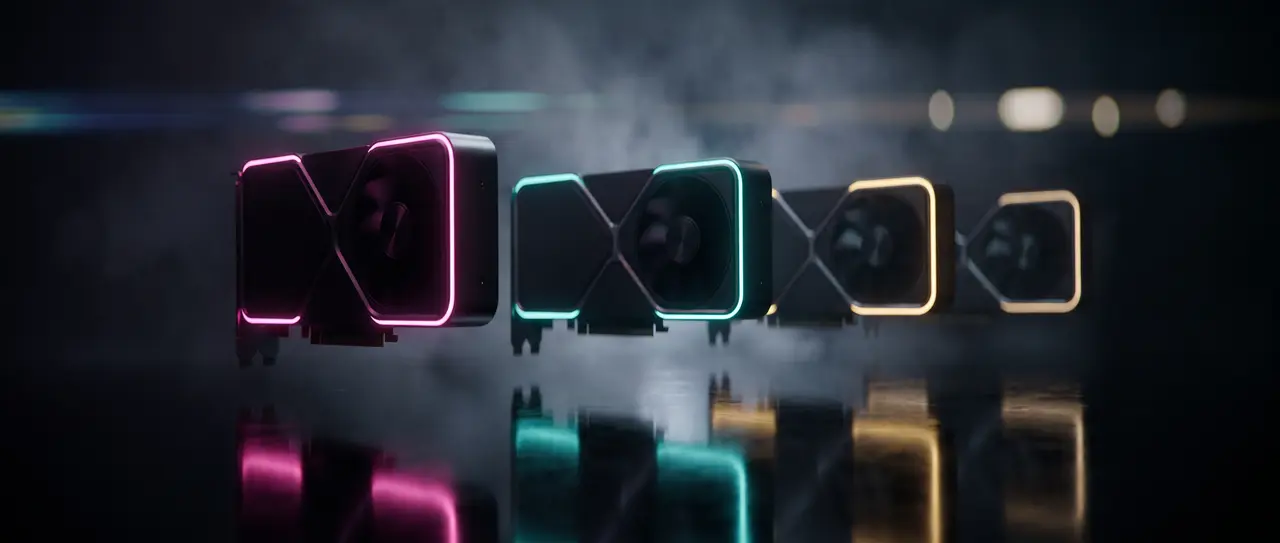
Video memory has become the quiet dividing line of PC gaming. Two graphics cards can be equally fast in raw terms, yet one plays a modern open-world game smoothly and the other stutters — because one has enough video memory and the other does not. For GTA 6, a game built for consoles with large pools of fast memory, VRAM deserves as much attention as GPU speed.
Our estimate: 6 GB for the minimum (1080p, Low), 8 GB for recommended (1080p, High), 12 GB for 1440p High and 16 GB for 4K Ultra. Rockstar has not published PC requirements, so these are estimates; the reasoning is below.
GTA 6 VRAM requirements by resolution
| Resolution | Low | Medium | High | Ultra |
|---|---|---|---|---|
| 1080p | 5 GB | 6 GB | 8 GB | 10 GB |
| 1440p | 6.5 GB | 7.5 GB | 9.5 GB | 11.5 GB |
| 4K | 8.5 GB | 9.5 GB | 11.5 GB | 13.5 GB |
These are the video memory needs built into our estimation model, before upscaling. The checker uses exactly these numbers: when your card has less than a preset needs, it applies a stutter penalty to the frame-rate estimate and caps texture quality in its best-settings card. In tier terms, we round them into the 6 / 8 / 12 / 16 GB steps of our GTA 6 system requirements.
Why VRAM matters so much in open worlds
Your graphics card keeps the textures, models and frame buffers it is working with in its own memory, because reaching across to system RAM is many times slower. In a big open world, the card constantly loads new textures as you move and drops old ones. As long as everything nearby fits in VRAM, this is invisible. When it does not fit, the card has to fetch data over the PCIe bus mid-frame, and you see it: hitches when you turn, surfaces that stay blurry for a second, and frame-time spikes that make even a decent average frame rate feel rough.
The consoles GTA 6 was built for share 16 GB of fast memory between processor and graphics (10 GB on Xbox Series S). Games designed for that budget routinely use 6 to 10 GB for graphics data alone at console-like settings. A PC version usually adds higher texture options on top. That is why 8 GB has gone from “plenty” to “enough for 1080p” in just a few years.
Which graphics cards have enough VRAM?
| VRAM | Example cards | What to expect in GTA 6 (estimate) |
|---|---|---|
| 4 GB | GTX 1650, GTX 1050 Ti, RX 6500 XT, RTX 3050 Laptop | Below minimum: stutter likely even at Low |
| 6 GB | GTX 1660 Super, RTX 2060, RX 5600 XT, RTX 4050 Laptop | Minimum: Low to Medium textures at 1080p |
| 8 GB | RTX 3060 Ti, RTX 4060, RX 6600, RX 7600, Arc A750 | 1080p High; Medium textures at 1440p |
| 10–12 GB | RTX 3060 12GB, RTX 4070, RX 6700 XT, Arc B580 | 1440p High; comfortable at 1080p Ultra |
| 16 GB | RTX 4070 Ti Super, RTX 5070 Ti, RX 7800 XT, RX 9070 XT | 4K Ultra textures with upscaling |
| 20–32 GB | RX 7900 XT/XTX, RTX 4090, RTX 5090 | No VRAM limits at any setting we model |
A few cards deserve a special mention. The RTX 3060 12GB has more video memory than the faster RTX 3060 Ti and RTX 3070 (8 GB each), which helps it at high texture settings even though it is slower overall. The RTX 2060 is fast enough for our minimum tier, but its 6 GB is what holds it back from more — the checker names VRAM as its bottleneck. And the RX 6500 XT, a 2022 card, falls below our minimum largely because of its 4 GB. Look up any card in the GPU tier list, which shows video memory next to every verdict.
Same name, different memory
Several popular cards were sold with different amounts of video memory under almost the same name: the GTX 1060 (3 GB and 6 GB), the RTX 3060 (8 GB and 12 GB), the RTX 4060 Ti (8 GB and 16 GB) and the RX 9060 XT (8 GB and 16 GB), among others. Browsers report only the model name, so our checker asks you to pick the version when it detects one of these cards. The difference matters: the 16 GB RTX 4060 Ti can use High textures at 1440p, the 8 GB version should not.
To see your exact amount, open Task Manager (Ctrl + Shift + Esc), go to Performance → GPU and read “Dedicated GPU memory”.
How to set textures when VRAM is tight
If your card is fast enough but short on video memory, you can usually keep the game smooth with a few settings:
- Lower texture quality first. It has the biggest effect on VRAM and often a small visual cost, especially at 1080p.
- Reduce shadow resolution and draw-distance settings. Both consume memory in open worlds.
- Use an upscaler. Rendering at a lower internal resolution shrinks frame buffers and frees a few hundred megabytes.
- Close GPU-hungry apps. Browsers with hardware acceleration, video players and overlays all use video memory.
- Watch the in-game VRAM meter if GTA 6 on PC includes one, as Rockstar’s previous PC releases did. Keep the estimate below your card’s total.
The checker’s best settings card does the first step for you: it caps texture quality at Medium for 6 GB cards, High for 8 GB cards and Ultra only for 12 GB and up.
Integrated graphics and shared memory
Integrated graphics have no video memory of their own; they reserve part of your system RAM. That memory is slower than dedicated VRAM and shared with the processor, which is a big reason integrated chips struggle in console-class games. In our model, integrated and handheld graphics can borrow up to half your RAM (at most 8 GB) and take an extra performance penalty. More in can integrated graphics run GTA 6.
Should you buy a card for its VRAM?
Video memory is a requirement to meet, not a measure of speed. A slow card with lots of memory is still slow. When choosing a card for GTA 6:
- For 1080p, 8 GB is enough in our estimate; prioritise speed.
- For 1440p, aim for 12 GB or more.
- For 4K or for keeping a card for several years, 16 GB is the safer choice.
Our guide to the best budget GPU for GTA 6 weighs speed and memory together for each resolution, and the 1440p and 4K guides go deeper on high resolutions.
How video memory use is measured
Monitoring tools show how much VRAM is allocated, which is not always what a game strictly needs: many games cache extra textures when memory is free. So a reading of “7.5 GB used” on a 12 GB card does not mean an 8 GB card would stutter — but a reading at the very top of your card’s capacity, combined with hitches, is a strong sign you are short. In-game VRAM meters, when provided, are usually the best guide.
Why running out of VRAM hurts so much
When textures do not fit in video memory, the graphics card fetches them from system RAM over the PCIe bus. That link is many times slower than the card’s own memory. Cards with narrow PCIe interfaces (x8 or x4 lanes) suffer even more, especially on older PCIe 3.0 motherboards — a reason some budget cards fall apart when memory runs short.
Will 8 GB cards last?
8 GB covers our 1080p High estimate for GTA 6, and many 8 GB cards will play it well at 1080p. But games built for the current consoles are steadily raising video memory use, and 8 GB leaves little headroom at higher resolutions. If you are buying a new card to keep for several years, 12 GB or more is the safer choice.
The bottom line
GTA 6 is very likely to be the kind of game where video memory decides how good it can look. 6 GB is our estimated floor, 8 GB covers 1080p High, 12 GB covers 1440p High and 16 GB covers 4K Ultra. If your card has less than you need, lower textures first and use an upscaler. Check your PC to see exactly where your card’s memory lands — and whether it, or something else, is your bottleneck.