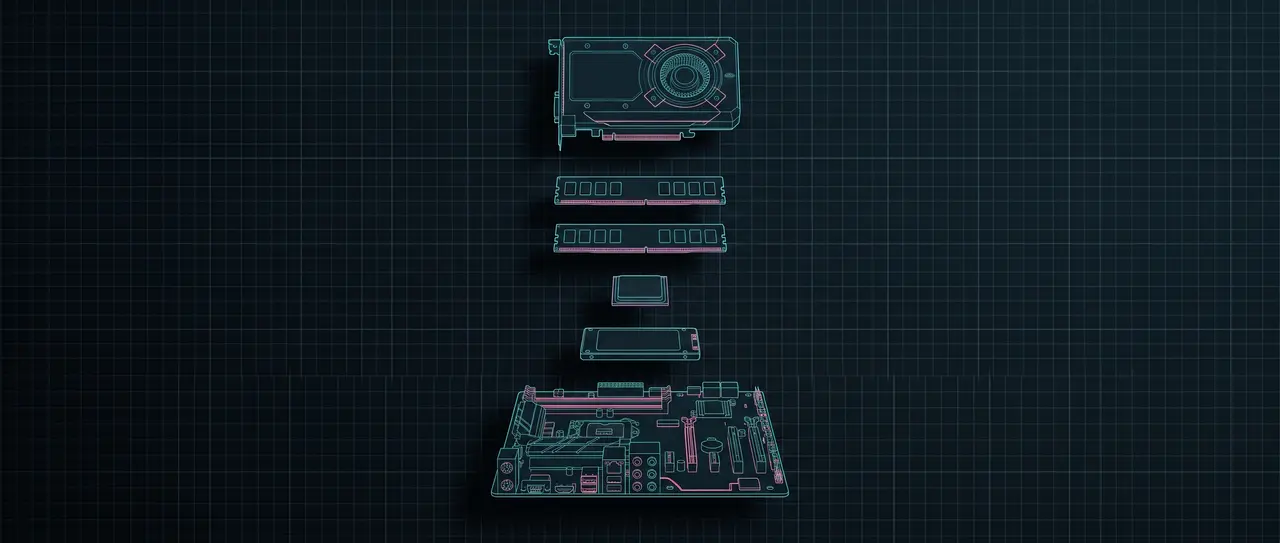
You do not always need a new PC to play a new game. Very often one or two targeted upgrades get an existing PC over the line — and the right ones are not always the expensive ones. This guide shows the order that gives the most improvement per dollar for GTA 6, based on our estimated requirements, and how to avoid buying parts that will not fit.
The quickest way to find your best upgrade is the checker: its upgrade advisor names the smallest change that reaches the next tier for your exact PC. No prices, no affiliate links — just the performance class you need.
The upgrade order
1. Storage: move to an SSD
If GTA 6 would be installed on a hard drive, this is the most important fix. We expect GTA 6 to require an SSD, because it was built for consoles that stream the open world from fast SSDs. A 1 TB SATA or NVMe SSD is inexpensive, takes minutes to install and also speeds up Windows and every other game. See does GTA 6 need an SSD.
2. Memory: 16 GB in dual channel
If you have 8 GB of RAM, or 16 GB on a single stick, adding memory is cheap and fixes stutter. Our minimum and recommended estimates both call for 16 GB; two matched sticks (2 × 8 GB) give you dual-channel bandwidth. If you are buying memory anyway and your board supports it, 2 × 16 GB (32 GB) covers our High and Ultra tiers too. Check your motherboard manual for DDR4 vs DDR5 and the right slots. More in is 16 GB of RAM enough.
3. Graphics card: the biggest lever
The GPU decides your resolution and settings more than any other part. If you are below our minimum, a card in the “value sweet spot” — RTX 3060, RX 6600, RTX 4060, RX 7600, Arc B570 class with 8 GB or more — is the big step. If you are already there, a recommended-class card (RTX 3060 Ti, RX 6700 XT, Arc B580, RTX 5060 class) gets you to 60 FPS on High without leaning on upscaling. Our budget GPU guide explains the classes.
4. Processor: only if it is the bottleneck
A CPU upgrade can mean a new motherboard and memory, so it is usually the most expensive and disruptive step. Do it first only if the checker names your processor as the bottleneck or it falls below our minimum (for example, a four-core, four-thread chip). The CPU bottleneck guide shows how to tell.
Common starting points and what to do
| Your PC today | Likely verdict | Best next step |
|---|---|---|
| GTX 1060 6GB, Core i5-8400, 16 GB, HDD | Can’t run | SSD, then a value-class GPU |
| GTX 1650, Ryzen 5 3600, 8 GB, SSD | Can’t run | Second RAM stick to 16 GB, then a value-class GPU |
| RTX 2060, Core i5-10400, 16 GB, SSD | Minimum | Fine for Low–Medium; GPU with 8 GB+ for High |
| RTX 3060, Ryzen 5 5600, 16 GB, NVMe | Minimum, close to Recommended | Nothing yet — use upscaling and wait for official specs |
| RTX 3070, Ryzen 5 2600, 16 GB, SSD | Minimum (CPU-limited) | CPU: a Ryzen 5 5600 or 5700X3D drops into many AM4 boards |
| RTX 4060, Core i5-13400, 16 GB, NVMe | Minimum, close to Recommended | Nothing yet — DLSS covers the gap |
These verdicts come from our estimation engine; your exact result may differ. Run the checker with your parts to be sure.
Compatibility checks before you buy
Graphics card:
- Power supply: check the card’s recommended PSU wattage and connectors. Many older pre-built PCs have small or non-standard power supplies.
- Size: measure the free length and thickness in your case.
- Slot and lanes: most cards use a PCIe x16 slot; budget cards with x8 or x4 lanes lose some performance on older PCIe 3.0 boards.
- Resizable BAR: important for Intel Arc cards; enable it in the BIOS if available.
Memory:
- Type: DDR4 and DDR5 are not interchangeable.
- Matching: buy a matched kit, or match the speed and size of your existing stick.
- Laptops: memory may be soldered; check before buying.
Processor:
- Socket and chipset: an AM4 Ryzen 5000 chip may need a BIOS update on older B350/B450 boards. Intel 12th–14th gen share LGA1700.
- Cooling: some CPUs ship without a cooler.
The AM4 shortcut
If your PC has an older Ryzen processor (1000, 2000 or 3000 series), you may be one BIOS update away from a big CPU upgrade without changing anything else. Many B350, B450, X370, X470 and B550 boards support Ryzen 5000 processors after a BIOS update — including the Ryzen 5 5600, Ryzen 7 5700X and the X3D models, which are among the best gaming CPUs for open worlds in our index. Check your motherboard maker’s CPU support list first.
When to replace instead of upgrade
Upgrading stops making sense when you would need to replace the processor, motherboard, memory and graphics card — at that point you are building a new PC, often limited by an old case and power supply. Signs you are there:
- Your processor is from Intel 6th–7th gen or Ryzen 1000 on a board that does not support newer chips.
- Your power supply is low-wattage or of unknown quality.
- You would need DDR5 memory for a new platform anyway.
In that case, our build a PC for GTA 6 guide lays out balanced builds for each tier, and you can often reuse your SSD, case or power supply if they are good.
Upgrade paths by platform
| Your platform | Cheapest meaningful CPU upgrade | Memory type | Notes |
|---|---|---|---|
| AMD AM4 (Ryzen 1000–5000) | Ryzen 5 5600 / 7 5700X / 5700X3D / 5800X3D | DDR4 | Check BIOS support on 300/400-series boards |
| Intel LGA1700 (12th–14th gen) | Core i5-13400 / 14400 / 13600K / 14600K | DDR4 or DDR5 (board-specific) | Keep the BIOS updated |
| Intel LGA1200 (10th–11th gen) | Core i5-11400 / i7-11700 on Z490/Z590/B560 | DDR4 | Limited headroom; GPU upgrade usually better |
| Intel LGA1151 (6th–9th gen) | Core i7-8700 / i7-9700 (8th/9th gen boards only) | DDR4 | Often time for a new platform |
| AMD AM5 (Ryzen 7000–9000) | Already modern | DDR5 | Upgrade the GPU instead |
Selling your old parts
Used graphics cards, processors and memory still have resale value. Selling the part you replace can cover a meaningful share of the upgrade. Wipe nothing important (parts store no personal data, but old drives do — securely erase any drive you sell), keep original boxes if you have them, and test the part before listing.
Upgrades that do not help GTA 6
- A faster NVMe drive when you already have an SSD. Loading may be a little quicker, but gameplay rarely changes.
- RAM beyond 32 GB. No benefit for gaming in our estimates.
- A new CPU cooler on a CPU that is not overheating.
- “Gaming” optimiser software. Usually unnecessary and sometimes harmful.
A worked example
Take a common older setup: Ryzen 5 2600, GTX 1060 6GB, 16 GB DDR4 (1 stick), 1 TB hard drive. The checker says “Can’t run”. Following the upgrade order:
- Add a 1 TB SSD for games (storage fixed).
- Add a matching 8 GB stick, or replace with 2 × 8 GB (dual channel).
- Replace the GTX 1060 with a value-class card (8 GB+): now around our minimum to recommended line.
- Later, if the checker names the CPU as the bottleneck, drop in a Ryzen 5 5600 or 5700X3D after a BIOS update.
Each step is useful on its own, and the PC improves with every one.
The bottom line
The best GTA 6 upgrade for your PC is usually the cheapest one that fixes your biggest problem: SSD first if you use a hard drive, then 16 GB of dual-channel RAM, then the graphics card, with the CPU only when it is clearly holding you back. If you already meet our recommended tier, wait for official requirements. Check your PC — the upgrade advisor will name your smallest next step.